From Waline to Giscus: Migrating My Blog's Comment System
A detailed walkthrough of how I switched from the Waline comment system to GitHub-powered Giscus.
This fantastic Astro template came with Waline pre-configured using sample data that was being pulled from a developer’s sandbox. It’s a solid, feature-rich comment system that gave me full control over my data by utilizing the LeanCloud platform. But after thinking a bit more, I started asking myself: Do I really need to run a separate backend and an additional Vercel deployment just for comments?
The answer, it turns out, was no. So I migrated to Giscus, and it was fairly straight-forward.
Why I made the switch#
Waline is genuinely impressive. It supports multiple databases, has a great UI and offers features like emoji reactions and comment management. But the deployment seemed more like a burden than a benefit for my use case. I also wanted to utilize a solution that was US-based.
The maintenance overhead and complexity was a bit much:
- I had to keep a Vercel ↗ deployment running
- LeanCloud ↗ management added another layer of complexity
- Updates required me to redeploy the backend separately from my blog
- Cost considerations for the database hosting
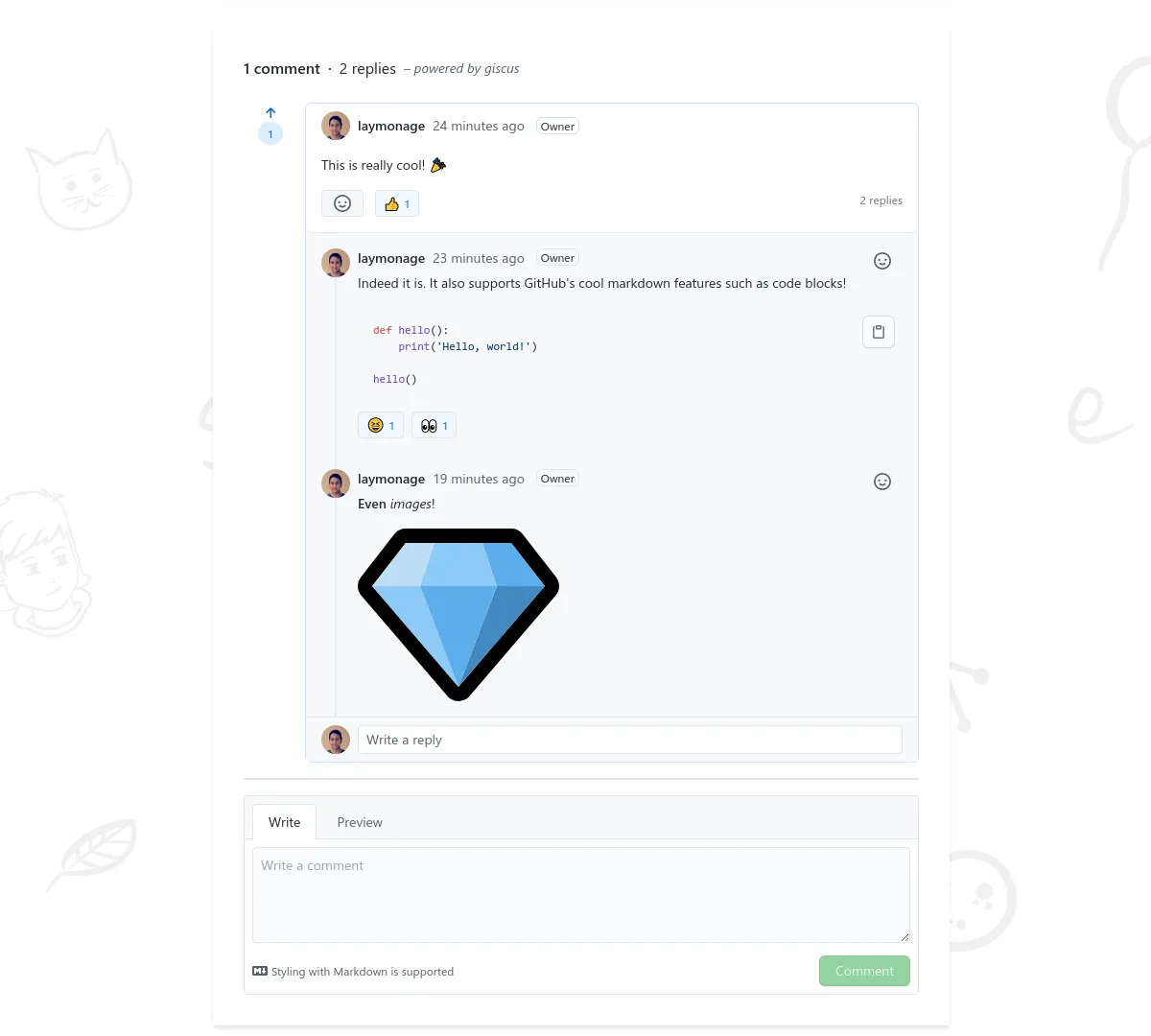
Then I discovered Giscus. It uses GitHub Discussions as the backend, which means:
- Zero infrastructure to maintain - GitHub handles everything
- Native GitHub integration - readers can use their existing GitHub accounts
- Markdown support out of the box - code blocks, formatting, etc
- Completely free - no database costs
For a technical blog where it’s safe to say that most readers have GitHub accounts, this was a no-brainer.
Prerequisites#
I needed the following:
- A public GitHub repository for your blog
- The Giscus GitHub App ↗ installed on that repository
- GitHub Discussions enabled on the repository
Step 1: Set Up Giscus on GitHub#
I went over to giscus.app ↗ and configured my settings. I needed to:
- Enter my repo name (e.g.,
yourusername/blog) - Choose a discussion category (I created a dedicated “Comments” category)
- Select my mapping preference (I use
pathnameso each page gets its own discussion) - Pick my theme and features
The site will generate all the values I need. I noted the IDs and saved them for later.
Step 2: Create the Giscus component#
Here’s where the actual code comes in. I created a new Astro component for Giscus at src/components/giscus/Comment.astro:
---
import config from '@/site-config'
import { cn } from 'astro-pure/utils'

const { class: className } = Astro.props
---

{
  config.integ.giscus.enable && (
    <div id="giscus-container" class={cn('not-prose', className)}>
      <script is:inline
        src="https://giscus.app/client.js"
        data-repo={config.integ.giscus.repo}
        data-repo-id={config.integ.giscus.repoId}
        data-category={config.integ.giscus.category}
        data-category-id={config.integ.giscus.categoryId}
        data-mapping={config.integ.giscus.mapping}
        data-reactions-enabled={config.integ.giscus.reactionsEnabled ? '1' : '0'}
        data-emit-metadata={config.integ.giscus.emitMetadata ? '1' : '0'}
        data-input-position={config.integ.giscus.inputPosition}
        data-theme={config.integ.giscus.theme}
        data-lang={config.integ.giscus.lang}
        data-loading="lazy"
        crossorigin="anonymous"
        data-strict={config.integ.giscus.strict}
        async
      ></script>
    </div>
  )
}

<style>
  #giscus-container {
    width: 100%;
  }
</style>The key things happening here:
- I’m pulling configuration from a centralized config file (more on that next)
- The
not-proseclass prevents Tailwind Typography styles from messing with the widget - Lazy loading keeps initial page loads fast by loading content as the user scrolls down
- The component only renders if Giscus is enabled in config
I exported the component - created an index.ts file:
export { default as Comment } from './Comment.astro'Step 3: Configure site settings#
This is where all the values from giscus.app go. In my site.config.ts, I added the Giscus configuration:
export const integ: IntegrationUserConfig = {
  // ... other integrations ...

  // Comment system
  giscus: {
    enable: true,
    // GitHub repository for comments (format: owner/repo)
    repo: 'yourusername/your-repo',
    // Repository ID - get this from giscus.app
    repoId: 'R_kgDOxxxxxxx',
    // Discussion category
    category: 'General',
    // Category ID - get this from giscus.app
    categoryId: 'DIC_kwDOxxxxxxx',
    // Mapping between the page and the discussion
    mapping: 'pathname',
    // Enable reactions
    reactionsEnabled: true,
    // Emit metadata
    emitMetadata: false,
    // Where to put the comment input box
    inputPosition: 'top',
    // Theme - can be 'light', 'dark', or 'preferred_color_scheme'
    theme: 'dark',
    // Language
    lang: 'en',
    // Strict loading mode
    strict: 0
  }
}Step 4: Add type definitions#
Since I’m using TypeScript, I need proper types for the Giscus config. Here’s the schema I added to my integrations-config.ts:
/** The Giscus comment system */
giscus: z.object({
  /** Enable the Giscus comment system. */
  enable: z.boolean().default(false),
  /** GitHub repository for comments (format: owner/repo). */
  repo: z.string(),
  /** Repository ID. */
  repoId: z.string(),
  /** Discussion category. */
  category: z.string().default('Comments'),
  /** Category ID. */
  categoryId: z.string(),
  /** Mapping between the page and the discussion. */
  mapping: z.enum(['pathname', 'url', 'title']).default('pathname'),
  /** Enable reactions. */
  reactionsEnabled: z.boolean().default(true),
  /** Emit metadata. */
  emitMetadata: z.boolean().default(false),
  /** Input position. */
  inputPosition: z.enum(['top', 'bottom']).default('bottom'),
  /** Theme. */
  theme: z.string().default('preferred_color_scheme'),
  /** Language. */
  lang: z.string().default('en'),
  /** Strict loading mode (0 = load even if discussion not found, 1 = strict). */
  strict: z.number().default(0)
})This gives me autocomplete and type checking for all your Giscus options.
Step 5: Integrate with my blog layout#
The final step is adding the Comment component to my blog post layout. In my BlogPost.astro layout, I import and use the component:
---
import { Comment } from '@/components/giscus'
// ... other imports ...

const {
  post: { data },
  // ... other props ...
} = Astro.props

const { draft: isDraft, comment: enableComment } = data
---

<PageLayout ...>
  <!-- Your post content here -->

  <Fragment slot='bottom'>
    {/* Other bottom content like copyright, related posts */}

    {/* Comment section - only shows on published posts with comments enabled */}
    {!isDraft && enableComment && <Comment class='mt-3 sm:mt-6' />}
  </Fragment>
</PageLayout>Notice the conditional: comments only appear on published posts (!isDraft) and when the individual post has comments enabled (enableComment). This gives me granular control - I can disable comments on specific posts by setting comment: false in the frontmatter.
Step 6: Remove Waline#
With Giscus working, it was time to say goodbye to Waline:
- Remove the Waline components - Delete Waline component files
- Remove Waline dependencies —
bun remove @waline/client - Clean up config - Remove Waline-related configuration
- Shut down the backend - Decommission the Waline server/function
I don’t believe there’s an automated migration path to Giscus, but I could be wrong. I chose to start fresh since my blog is brand new, but if you have valuable discussions, you might want to try exporting from Waline’s UI to take a look at the output. If you have ever done this type of migration, let me know in the comments.
The Result#
Here’s what I gained from this migration:
| Aspect | Before (Waline) | After (Giscus) |
|---|---|---|
| Infrastructure | Serverless function + Database | None (GitHub handles it) |
| Monthly cost | ~$5-10 | $0 |
| Maintenance | Regular updates needed | Zero maintenance |
| Auth | Custom or OAuth setup | GitHub (readers likely have accounts) |
| Features | Rich (reactions, admin panel) | Essential (comments, reactions) |
The trade-off? Giscus has fewer features than Waline. No admin panel, no anonymous comments, no fancy spam filtering. But for my use case - a tech blog with GitHub-savvy readers - this was a worthwhile trade.
Final Thoughts#
Migrating from Waline to Giscus took me a while to figure out. The actual code changes were minimal - really just creating a new component and updating the configuration.
If you’re running a technical blog and find yourself spending more time maintaining your comment system than writing posts, give Giscus a look.
Have questions about the migration? Drop a comment below - powered by Giscus!